25+Barrierefreiheits-Tools

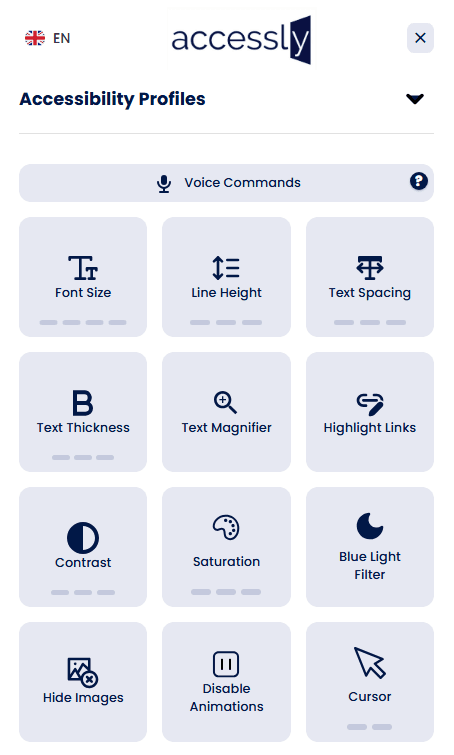
Accessly verbessert die Benutzerfreundlichkeit mit anpassbaren, benutzerseitigen Steuerelementen (Kontrast, Textgröße, Lesehilfen, Sprache). Es ist ein hilfreiches Tool, um mehr Besucher zu unterstützen und Barrieren zu reduzieren. Wichtig: Widgets allein können keine vollständige WCAG-Konformität gewährleisten. Verwenden Sie unser Widget zusammen mit professionellen Audits und Code-Sanierung, um rechtliche Barrierefreiheitsstandards zu erreichen.
Visuelle Einstellungen
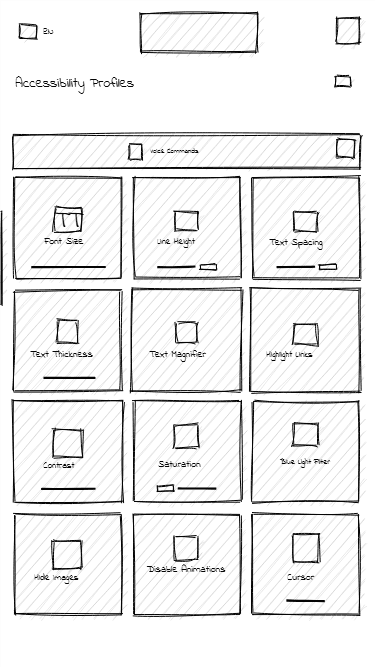
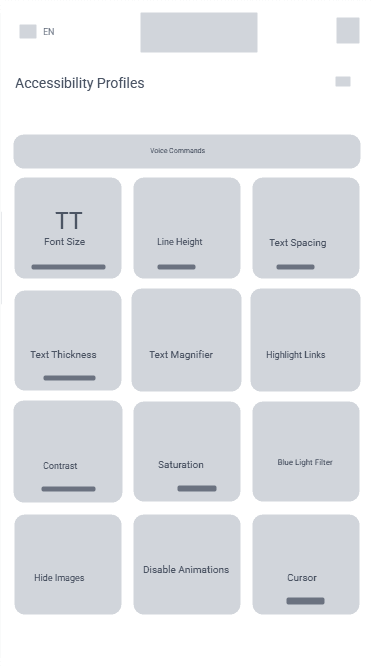
- Textvergrößerung bis zu 200%
- Anpassung von Zeilen- und Buchstabenabstand
- Regulierung der Textstärke (von dünn bis fett)
- Textlupe
Kognitive Unterstützung
- Bilder ausblenden
- Animationen deaktivieren
- Seitenstruktur anzeigen
- Legasthenie-Schriftart
Audio und Steuerung
- Text-zu-Sprache (KI-Stimme)
- Sprachbefehle (Chrome, Edge)
- Vergrößerte Cursor (schwarz/weiß)
Spezialisierte Profile
- Profil für Sehbehinderte
- Profil für Farbenblinde
- ADHS-Profil
- Epilepsie-sicheres Profil
Plan
Mockup
Live
Wobei Widgets helfen können
- Benutzerseitige Kontrastanpassungen
- Text- und Abstandssteuerungen
- Einfache Navigationsverbesserungen
- Grundlegende ARIA-Attribut-Korrekturen
Was Widgets nicht beheben können
- Komplexe Tastaturnavigationsprobleme
- Semantische Markup-Probleme
- Formularbeschriftung und -validierung
- PDF-, Medien-, Canvas-/SVG-Inhalte